How the Freemium Model Actually Works
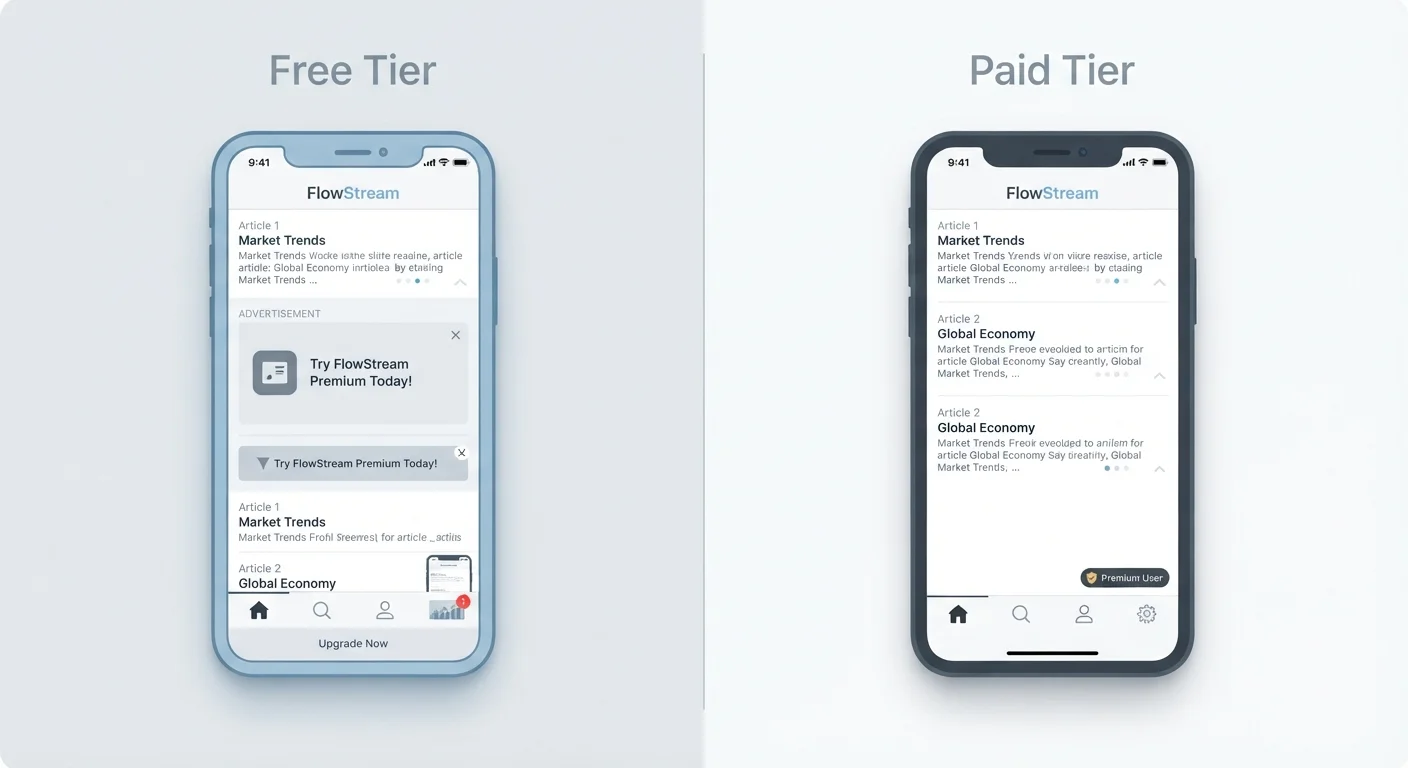
The term freemium blends "free" and "premium" - it describes an app that is free to download but reserves certain features, storage, or usage levels for paying subscribers. This model now dominates mobile and web apps because it lowers the barrier to getting a new user through the door.
What many users don't initially realise is that a free tier is not charity. App developers need revenue to sustain their products. When you're not paying with money, you're usually paying in one of two other currencies: your attention (via advertising) or your data (via usage tracking and audience profiling).
Understanding this exchange is the starting point for making an informed decision. It's also worth reading about what app permissions actually grant access to, because free-tier apps often request broader permissions to support their ad and analytics infrastructure.
| Criterion | Free Tier | Paid Tier |
|---|---|---|
| Upfront cost | None | Monthly or annual fee |
| Advertising | Usually present | Typically removed |
| Feature access | Limited or capped | Full or near-full access |
| Data collection | Often more extensive | Generally reduced |
| Storage limits | Low cap common | Higher or unlimited |
| Customer support | Community or slow | Priority or dedicated |
| Commitment risk | Low - easy to stop | Lock-in possible over time |
What You Give Up on the Free Tier
Free tiers typically involve at least one of the following limitations:
- Advertising: Banner ads, interstitial pop-ups, or video ads interrupt your experience and slow down the app interface.
- Feature restrictions: Core functionality is available, but advanced tools - export options, collaboration features, automation - sit behind the paywall.
- Storage or usage caps: Cloud storage apps commonly cap free users at a few gigabytes. Productivity apps may limit the number of documents, projects, or actions per month.
- Data collection: To fund ad targeting, free tiers often collect more behavioural data. This is worth considering alongside your broader digital privacy habits.
- Lower priority support: Free users typically get slower or community-only customer support, with dedicated help reserved for paying subscribers.
None of these trade-offs are hidden secrets - they're in the terms of service. But they're easy to overlook until they cause real friction.
97%
Share of App Store revenue from free-to-download apps
According to Apple's App Store data, the vast majority of downloads are free apps, with revenue generated through in-app purchases and subscriptions rather than upfront sales.
~5%
Typical conversion rate from free to paid tiers
Industry analyses of freemium products generally find that only a small fraction of free users convert to paid plans, meaning free tiers must serve large audiences to be commercially viable.
What You Give Up on the Paid Tier
Paid tiers come with their own costs that go beyond the subscription price itself:
- Recurring financial commitment: Monthly or annual charges add up. A handful of app subscriptions at €5-€15 each can quietly become a significant monthly fixed expense. It's worth reviewing these periodically as part of your broader savings habits.
- Lock-in risk: Once your data or workflows are built inside a paid app, switching tools becomes harder. If the app raises its price or discontinues, you may face disruption.
- Value only if you use it: Paying for an app you rarely open provides no benefit. A paid tier only makes sense when your usage is consistent enough to justify the cost.
- No guarantee of longevity: Paid apps can still be discontinued, merged, or fundamentally changed. Payment doesn't guarantee stability.
This isn't an argument against ever paying - it's a reminder that upgrading requires honest self-assessment of how much you actually use an app and whether the free tier's limitations genuinely affect you.
For help managing how many apps you're running at once, see practical habits for keeping your app library lean.
Subscriptions and Regional Pricing
App subscription prices can vary by country due to local tax rules, currency differences, and platform pricing policies. In Germany, prices shown in app stores include VAT. If an app offers annual billing, the monthly equivalent is usually meaningfully lower than the month-by-month rate - worth checking before committing. Always review the cancellation terms before subscribing, as refund policies differ between app stores and individual developers.
Making a Practical Decision
The most useful question to ask is not "which tier is better" but rather: what does this specific app's free tier actually include, and do its limitations affect how I use it?
Some apps have genuinely useful free tiers - they serve a real purpose without forcing an upgrade. Others design their free tier specifically to be frustrating enough that paying feels like relief. Learning to tell the difference is a practical skill.
A few useful habits:
- Use an app on its free tier for at least two to four weeks before considering an upgrade. Real limitations become obvious quickly.
- Check whether the paid tier is a one-time purchase or a recurring subscription - the cost structure matters significantly over time.
- Periodically audit your active subscriptions. It's common to keep paying for apps you've stopped using regularly.
- Consider whether a free alternative exists that meets your needs without requiring an upgrade at all.
If you use apps across both Android and iOS ecosystems, note that subscription management and refund policies differ between platforms - the two platforms handle these areas differently in ways that can affect your options.