What App Permissions Actually Control
Every time you install or open an app, it may ask for access to parts of your phone it needs to do its job. These requests are app permissions - and each one unlocks a specific capability, not your entire device.
Permissions fall into two broad groups. Normal permissions cover low-risk functions like checking your time zone or network status; these are granted automatically. Sensitive permissions - covering things like your location, microphone, contacts, or camera - must be explicitly approved by you. This is the category worth understanding.
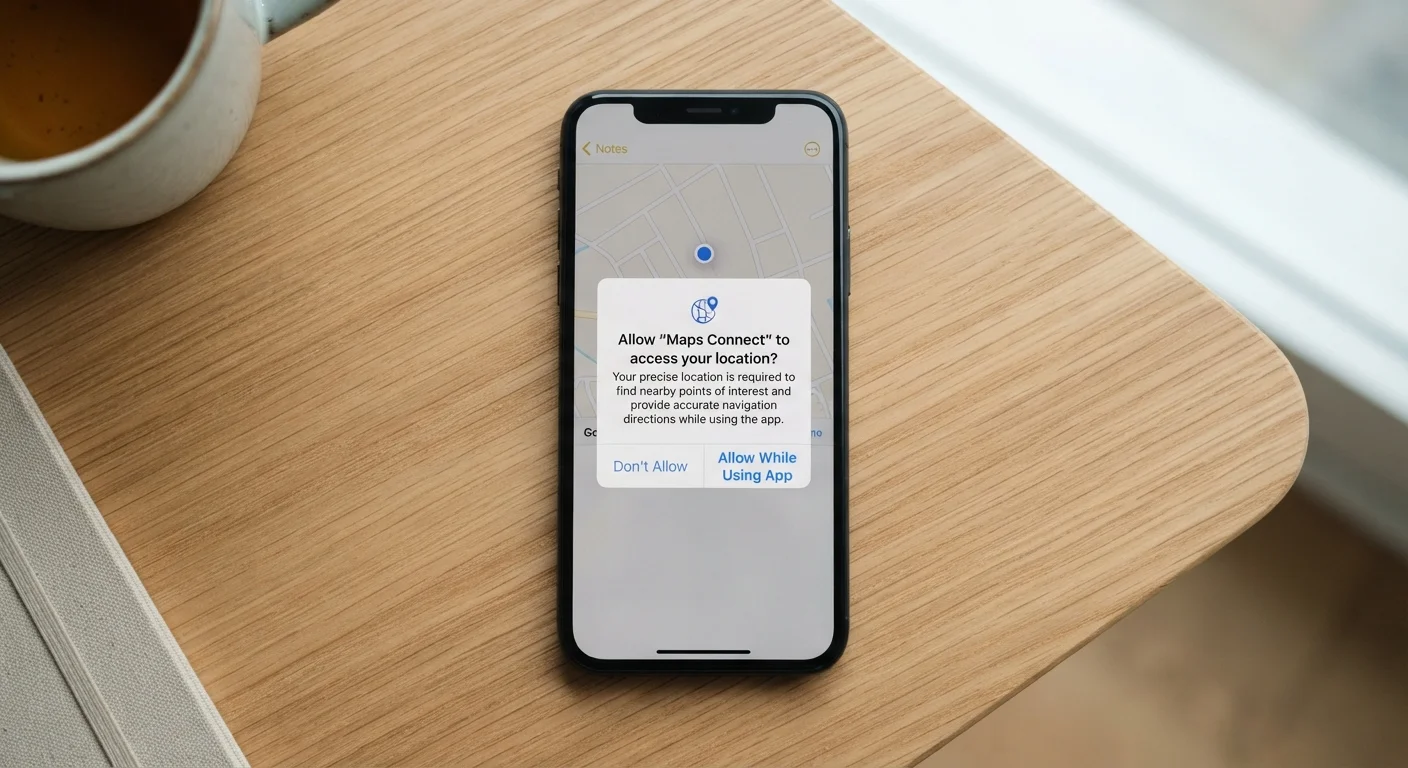
Modern smartphones (both Android and iOS) use a runtime permission model, meaning the app asks for access at the moment it actually needs it, not silently at install. When that prompt appears, you have a real choice.
App permission
A specific type of access an app requests on your device, such as reading your contacts or using your camera. You decide whether to grant or deny it.
Precise location
GPS-level positioning that pinpoints you within a few metres. More revealing than approximate location, which only indicates your general area.
Background access
The ability for an app to use a permission even when the app is not actively open on your screen. This is a broader level of access than 'while using the app.'
Runtime permission
A permission that is requested at the moment it is needed, rather than automatically at install time. Both Android and iOS now use this model for sensitive categories.
Least-privilege principle
A practical privacy habit: grant only the permissions an app genuinely needs to function, and nothing more.
Permission by Permission: What Each One Opens Up
Here is what the most common sensitive permissions actually grant:
- Location (precise): GPS coordinates accurate to a few metres. Genuinely necessary for turn-by-turn navigation; rarely needed by a recipe app or flashlight utility.
- Location (approximate): A broader area, such as your district or city. Sufficient for weather apps and local search features.
- Microphone: Live audio input from your phone's mic. Required for voice calls, voice search, and recording apps. Unrelated apps requesting this warrant scrutiny.
- Camera: Access to take photos or video. Logical for a scanner or video-call app; unusual for a calculator.
- Contacts: Your full address book, including names, numbers, and email addresses of people who have never agreed to share their data with that app.
- Storage / Photos: The ability to read or write files on your device. Needed to save documents or access images, but broad storage access can expose more than intended.
- Call logs: A record of calls made and received. Very few app categories have a legitimate need for this.
- Notifications: Permission to send you alerts - covered in detail in our guide to managing notifications.
| Who controls permissions | The device owner - you can grant, deny, or revoke at any time |
| Where to review permissions (Android) | Settings → Apps → [App name] → Permissions |
| Where to review permissions (iOS) | Settings → Privacy & Security → [Permission category] |
| Most requested sensitive permission | Location (both precise and approximate) |
| Can apps function without permissions? | Often yes - most apps work partially or fully without every permission they request |
| Permission categories considered sensitive | Location, microphone, camera, contacts, storage, health data, call logs |
How to Decide Whether to Grant a Permission
A practical way to evaluate any permission request is to ask: Does this permission match what I am about to do with this app? A mapping app asking for location makes obvious sense. A casual game asking for your contacts does not.
Apply the least-privilege principle: grant the minimum access the app needs to function for you, and nothing beyond that. If you are unsure, deny the request first - you can always enable it later if a feature stops working.
Revoking a Permission Won't Break Most Apps
If you deny or later revoke a permission, the app typically continues working for its core functions. It may simply disable the specific feature that required that access - for example, a shopping app without location access will still let you browse and pay, it just won't auto-fill your nearest store. You can always re-grant a permission if you find you need it.
Background access deserves extra attention. Choosing Only while using the app for location or microphone is almost always sufficient and meaningfully limits how much an app can collect about you passively. For a fuller picture of what happens when apps run without your attention, see our article on apps running in the background.
For a broader look at what data persists on your device - even after you delete an app - the article on what deletion actually removes is a useful companion read. And if you want to audit your existing permissions systematically, our personal data security audit checklist walks you through each step.
2 types
Location access levels apps can request
Apps may request either precise (GPS-level) or approximate location - approximate is sufficient for most everyday features like local weather.
3 options
Location permission choices on modern phones
Android and iOS both offer 'Allow always,' 'Only while using the app,' and 'Deny' - giving you meaningful control over when an app can track you.